 Claude
 ChatGPT


Connect Store Detector to Claude
Add one custom connector and Claude can answer questions about any Shopify store — traffic, revenue estimate, apps, theme, ads. Takes about a minute. Verified against the current Claude interface on 2026-08-02.
The endpoint
https://mcp.storedetector.com/mcp
-
Step 1
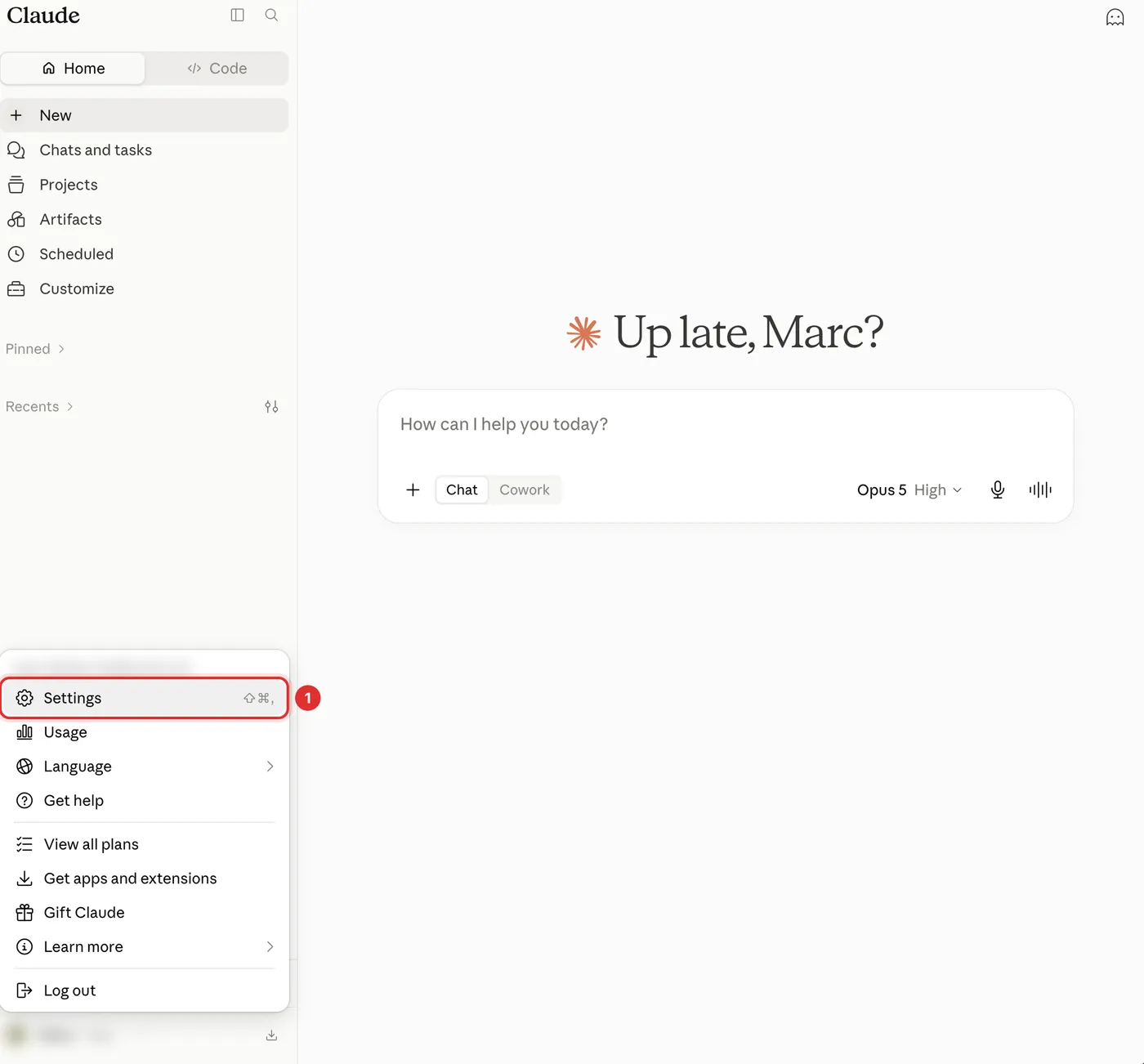
Open Settings in Claude
- Go to claude.ai in your browser
- Click your profile icon, bottom left
- Choose Settings
-
Step 2
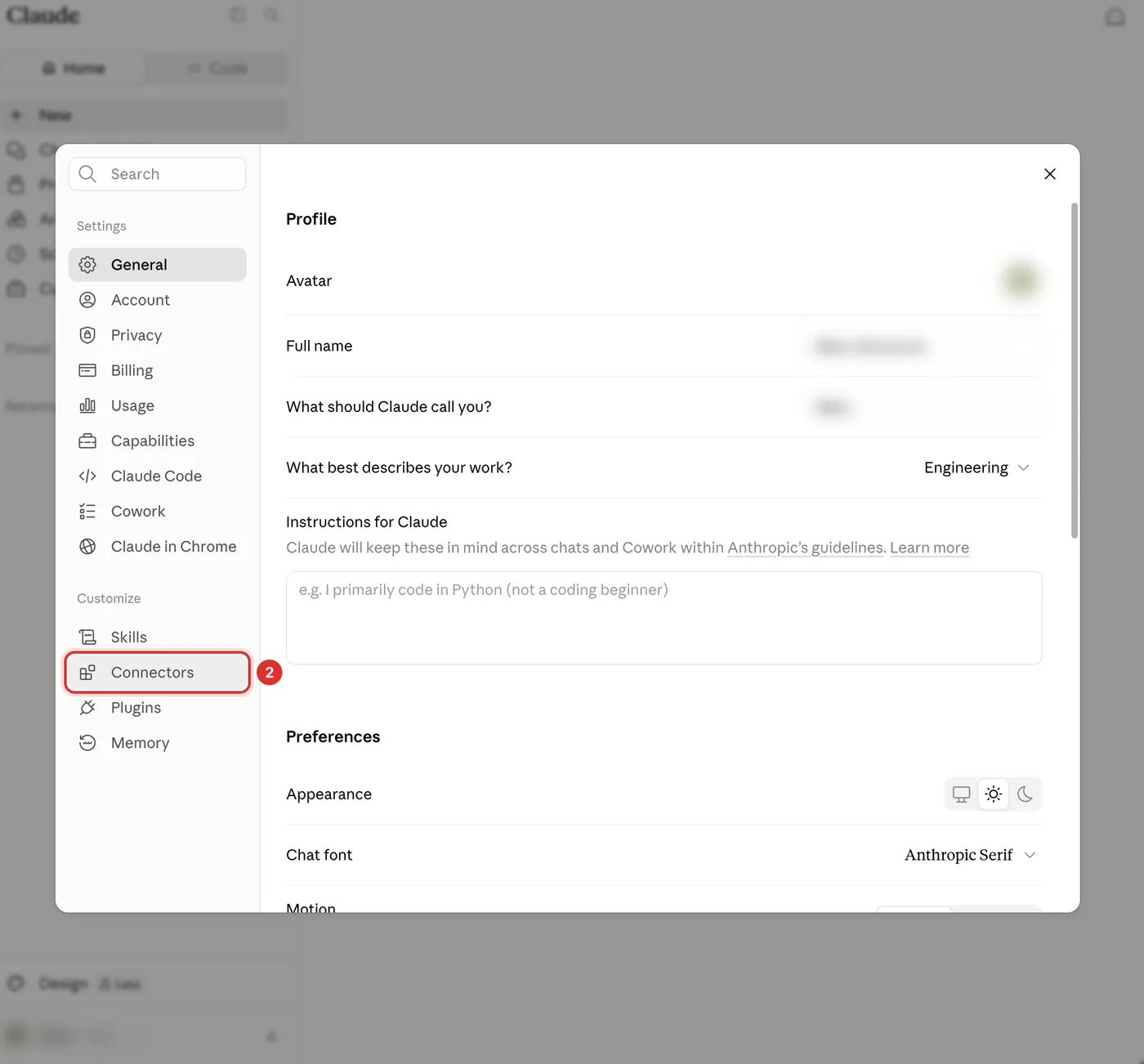
Go to Customize → Connectors
- In the Settings dialog, look under the Customize heading
- Click Connectors
Older guides send you to Settings → Connectors. That page is now just a pointer that says connectors have moved to Customize — the real list is the one under Customize.
-
Step 3
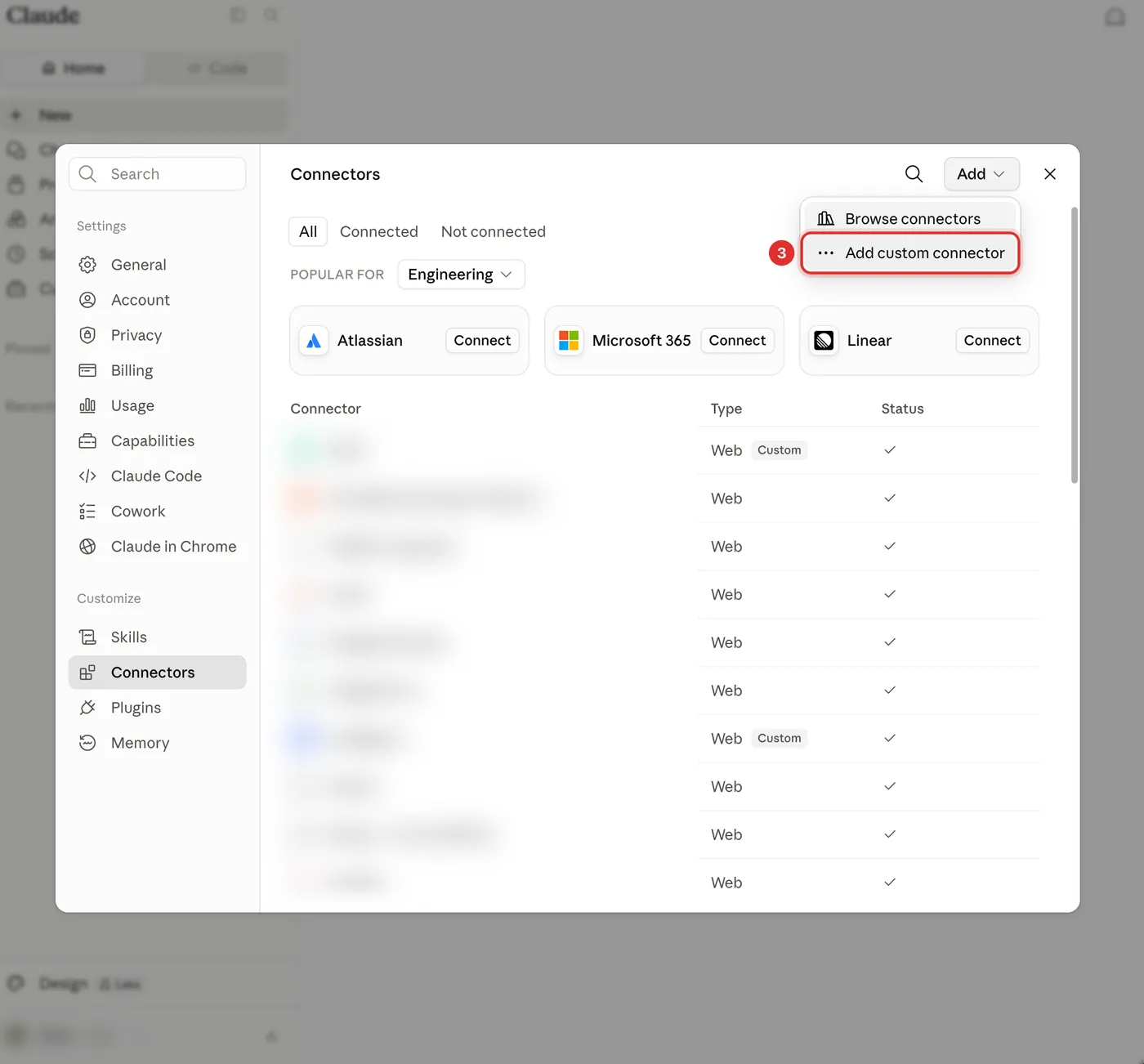
Add a custom connector
- Click the Add button at the top right of the connector list
- Choose Add custom connector
-
Step 4
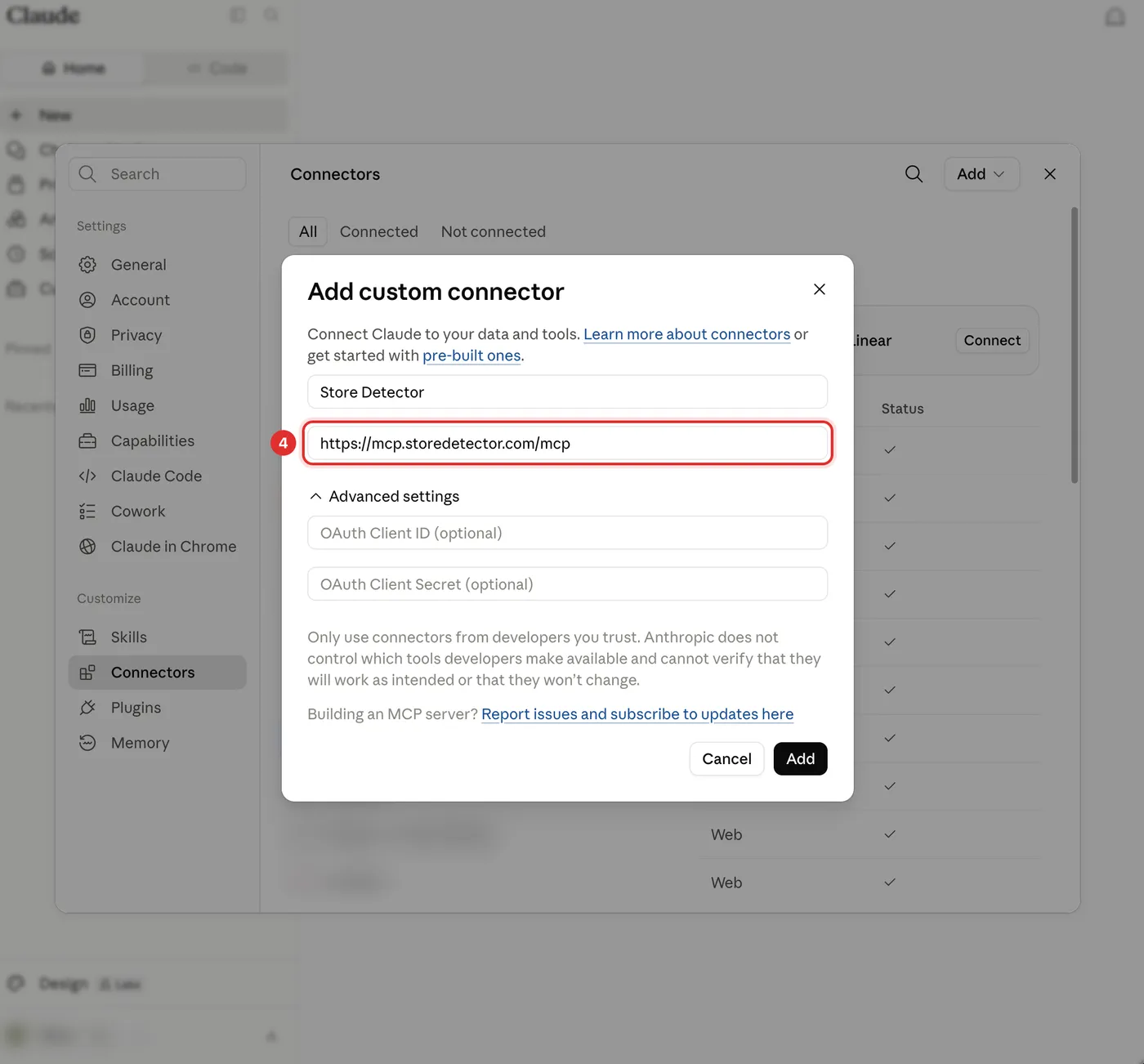
Paste the Store Detector endpoint
- Name it Store Detector
- Paste the endpoint into Remote MCP server URL
- Leave Advanced settings empty — no client ID or secret needed
- Click Add
https://mcp.storedetector.com/mcpThe OAuth Client ID and Secret fields stay blank. Store Detector registers your client automatically, which is what the empty Advanced settings section is for.
-
Step 5
Sign in, then ask it something
- Claude opens a Store Detector page that names the app asking for access — choose Continue with Google once
- Start a new chat and ask about any Shopify store
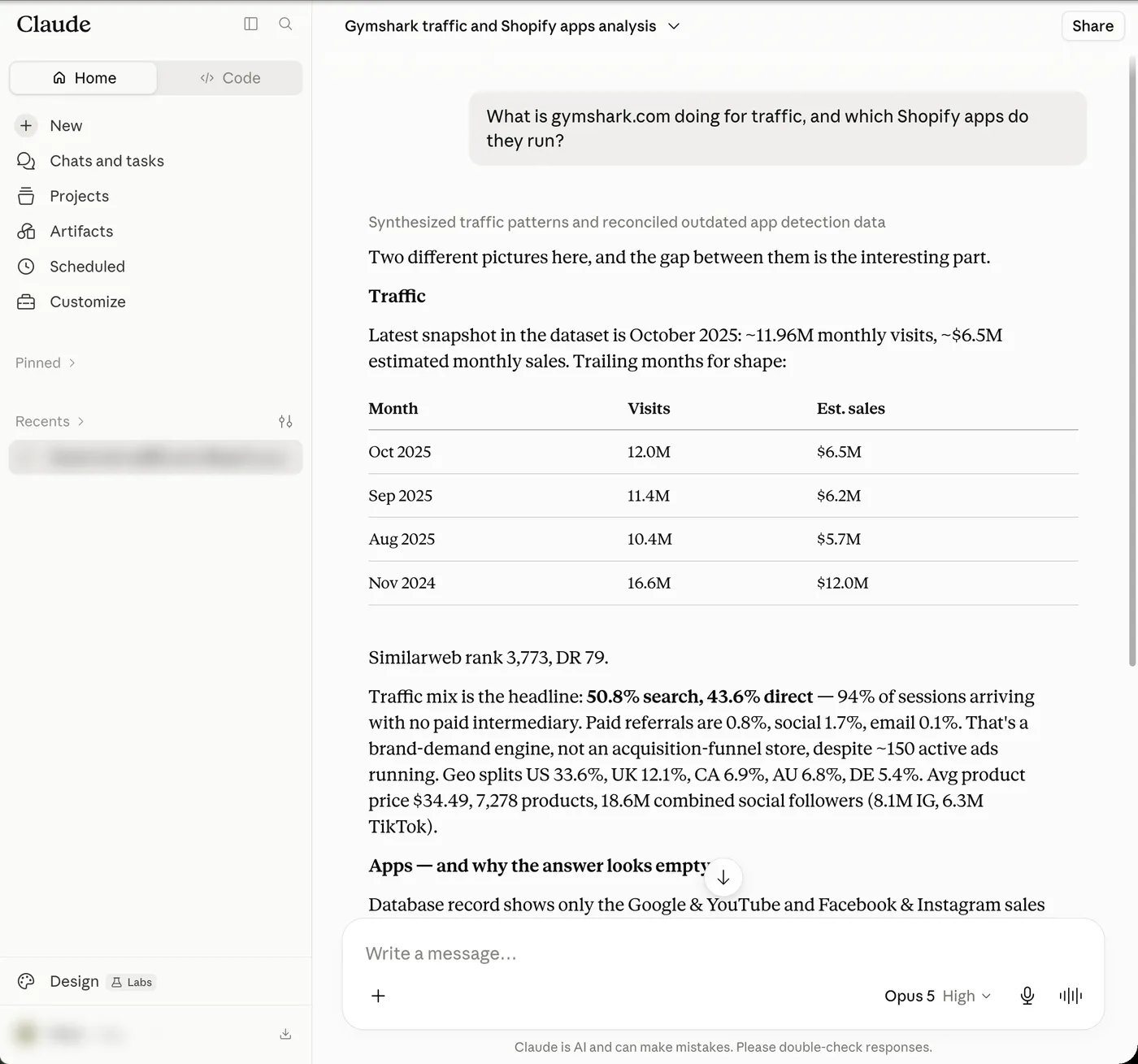
Try it with one of these
Each of these hits a different tool, so the first one you run proves the connection end to end.
- What is gymshark.com doing for traffic, and which Shopify apps do they run?
- Compare allbirds.com and rothys.com on traffic, revenue estimate and app stack.
- Show me the top 10 Shopify stores in the Philippines by traffic.
- Which stores in skincare are running Meta ads right now?
Want the setup steps by email?
We will send this guide and tell you when new MCP tools ship. No newsletter, no drip sequence.
Frequently asked questions
Do I need a paid plan to connect?
You need a Claude plan that supports custom connectors, and a Store Detector account. The connector itself is free to add — see pricing for what the account costs.
Why are the OAuth Client ID and Secret fields blank?
Because Store Detector supports dynamic client registration: Claude registers itself automatically the first time you connect. Those fields exist for servers that need a pre-issued client, and ours does not. Leave them empty.
I followed another guide and could not find "Add custom connector".
Claude.ai moved it. Guides that send you to Settings → Connectors are out of date — that page is now a pointer saying connectors have moved. The list lives under Customize → Connectors, and the button is the Add menu at its top right. These steps were checked against the live interface on 2026-08-02.
What can it actually do once connected?
10 read-only tools over an index of Shopify stores — search, store dossiers, leaderboards, app and pixel lookups, similarity, comparison, market aggregates, growth history and live URL detection. Read-only means it can query and summarise but cannot change anything. Full list on the MCP page.
Ready to spy smarter?
Join 6,000+ store builders using Store Detector.
 Add to Chrome — It's Free
- Free to install
- No account needed
- Works on any Shopify store