 Claude
 ChatGPT


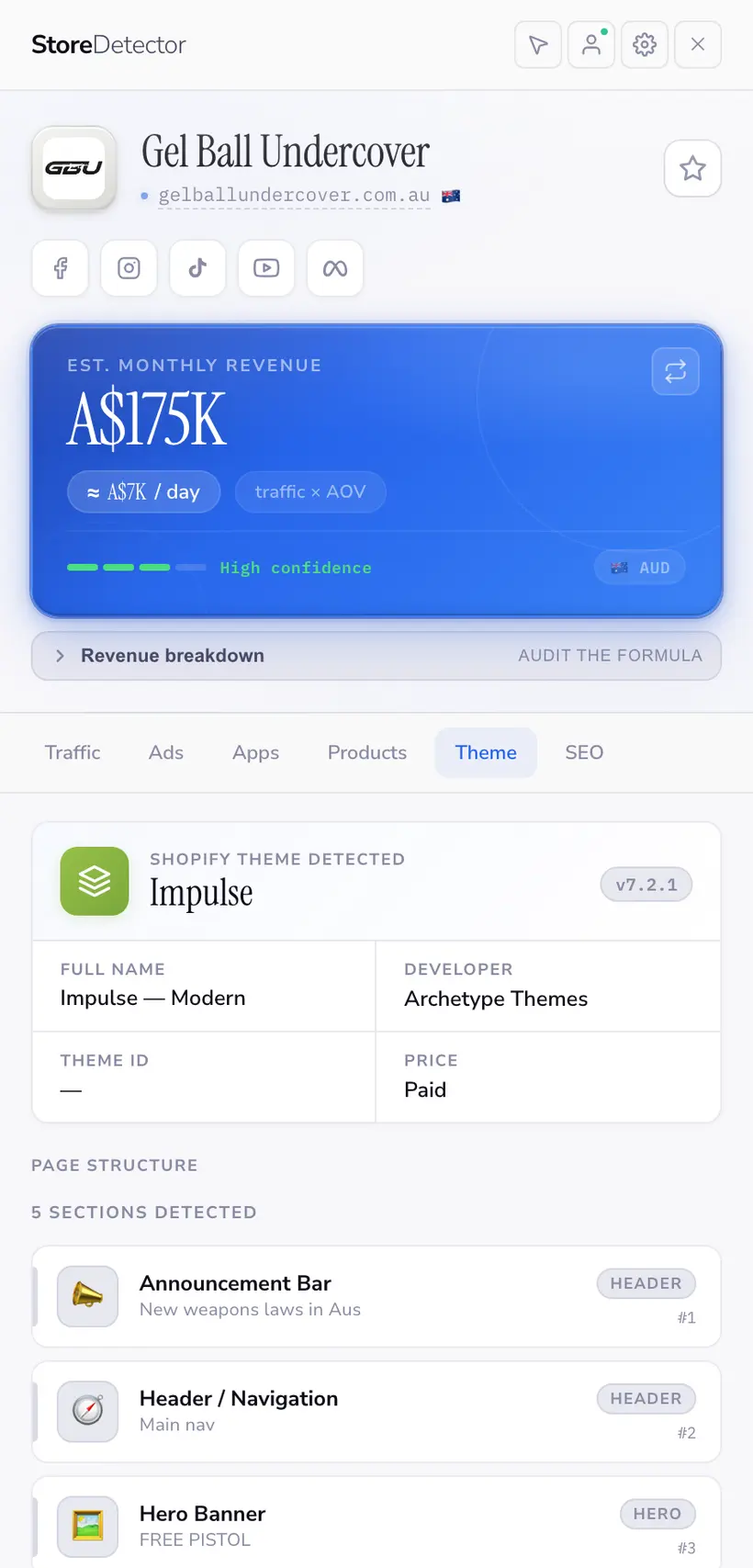
Identify any Shopify theme, then take the layout apart
Store Detector names the theme a store is running, then breaks the page into its sections so you can see exactly how a high-converting page is assembled.
 Install free
What the panel shows
- Theme name, and the version where the store exposes it
- Whether it is a stock theme or a custom build
- A section-by-section breakdown of the page you are on
- The ability to lift a single section for reference
Getting a real answer out of it
Check the theme before you buy one
If the stores winning your niche all run the same theme, that is a cheaper answer than a custom build.
Study the section order
The order a store puts its hero, proof, offer and FAQ in is a conversion decision someone has already tested. The section list makes it explicit.
Tell stock from custom
A heavily customised stock theme tells you the store invested in conversion. A default install usually means it did not.
Who leans on this
Free tools for this
No install and no account — run one on a single store.
Frequently asked questions
Does it detect custom themes?
It tells you when a theme is custom or has been renamed, which is itself useful. Where a store exposes the underlying theme name and version, we show them.
Can I use a section I find?
Use it as reference for structure and order. Copying another store’s markup, copy or images wholesale is a legal problem, not a growth strategy.
Is there a free version of this?
Yes — the Shopify Theme Detector checks a single URL with no install.
The other panels
Ready to spy smarter?
Join 6,000+ store builders using Store Detector.
- Free to install
- No account needed
- Works on any Shopify store