 Claude
 ChatGPT


See a store’s catalog, pricing and current bestsellers
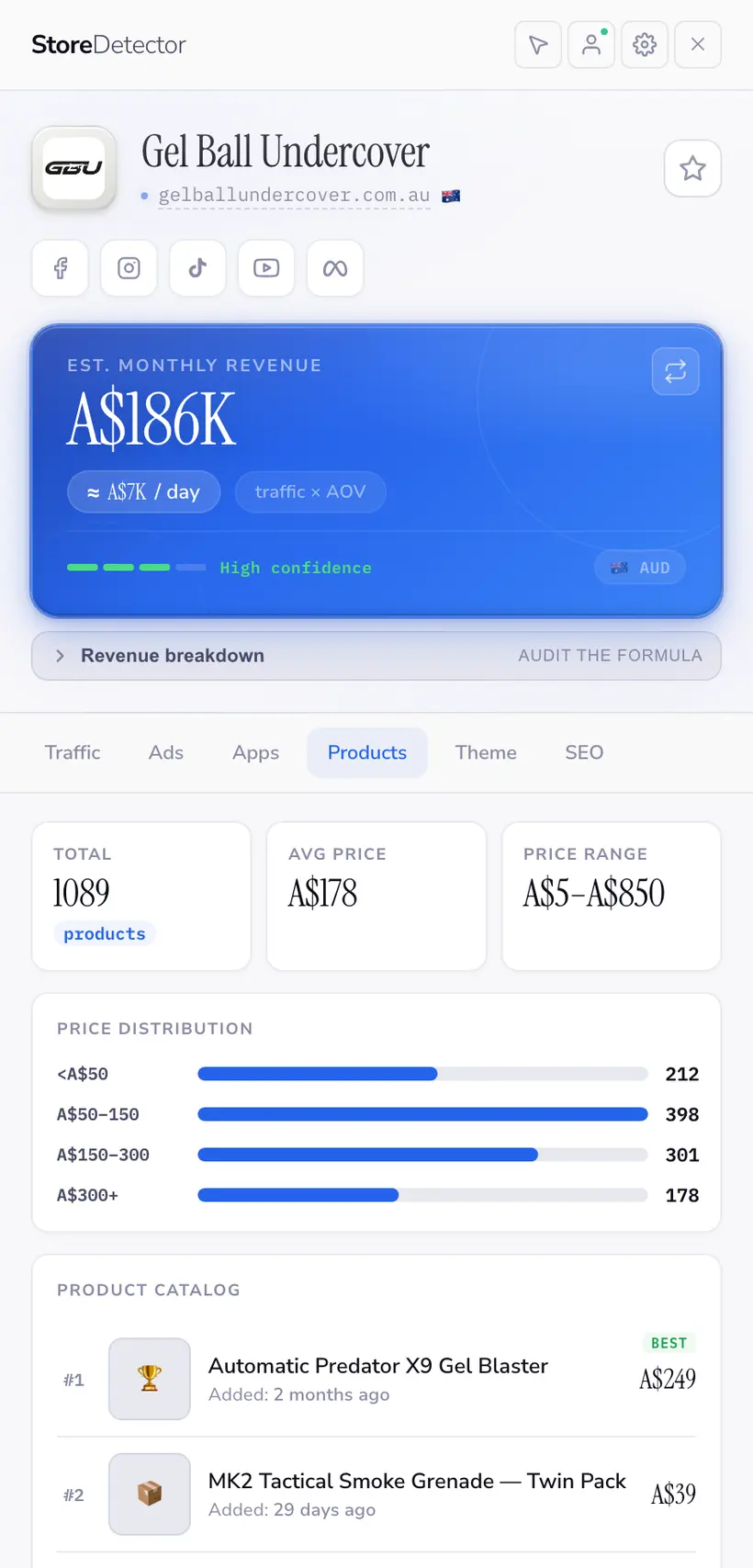
Pull the whole catalog of any Shopify store: how many products it lists, where its prices sit, what it has added recently, and which products it is pushing hardest.
 Install free
What the panel shows
- Total products, and how many are actually in stock
- Price range and average price across the catalog
- Current bestsellers, as the store itself orders them
- Recently added products — where a store is placing new bets
- Full catalog export to CSV
Catalog data comes from the store’s own public product feed. If a merchant hides a collection or a product, it will not appear here either.
Getting a real answer out of it
Price against the category, not one rival
The average price across a store’s catalog tells you where it sits in the market far better than the price of any single hero product.
Watch new arrivals
What a store added in the last month is the clearest public signal of what it thinks will work next.
Read bestseller order
Most stores sort a bestsellers collection by actual sales. That ordering is one of the few pieces of near-first-party data a store publishes.
Who leans on this
Free tools for this
No install and no account — run one on a single store.
Frequently asked questions
Can I export the catalog?
Yes, to CSV — in the extension, or with the free Shopify Product Exporter for a single store.
Are the bestsellers real sales data?
They are the store’s own bestseller ordering, which most merchants drive from real sales. It is a strong signal, but it is the merchant’s ordering, not our measurement.
Does it show inventory levels?
It shows whether a variant is in or out of stock, which Shopify publishes. Exact stock counts are not public.
The other panels
Ready to spy smarter?
Join 6,000+ store builders using Store Detector.
- Free to install
- No account needed
- Works on any Shopify store